
No-Code & Low-Code Development

No-Code, Low-Code & AI Automation

Build apps and automate repetitive work without writing much code — and know when no-code is the right choice.
Level
Beginner
Duration
Shared at counselling
Format
Classroom · Small group · 1:1 mentoring
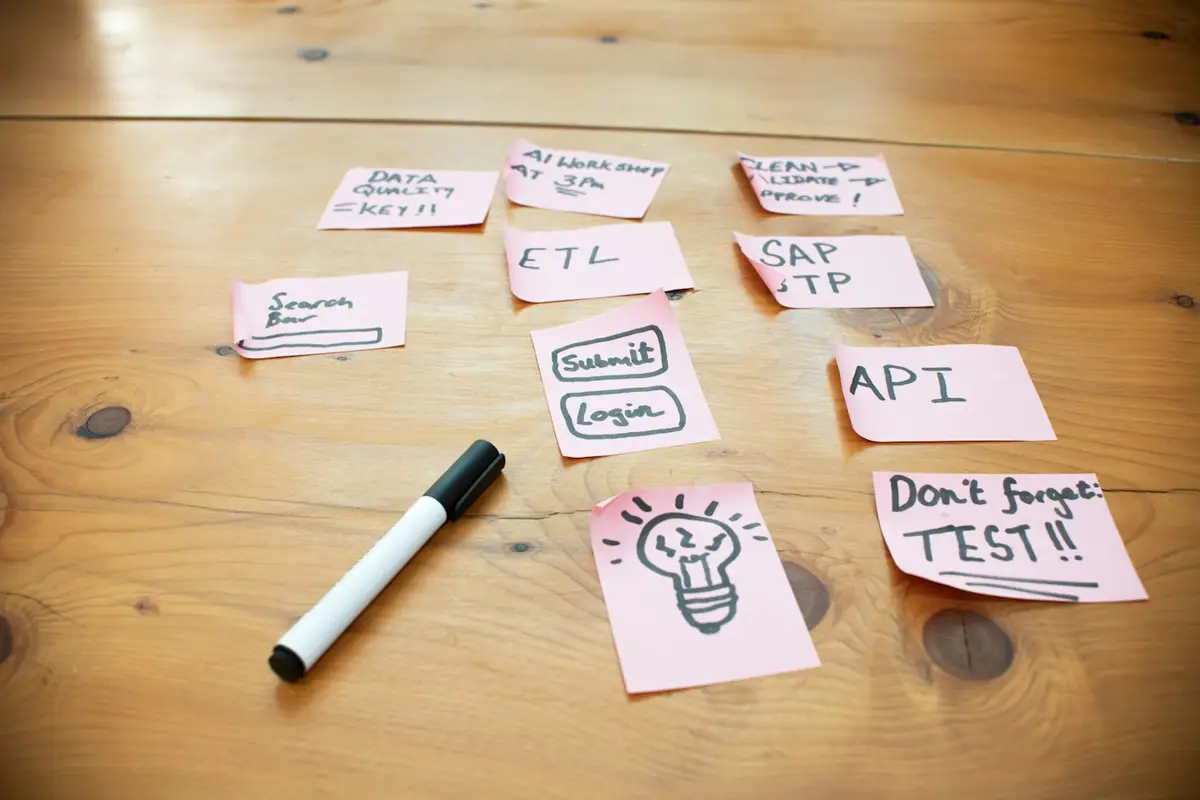
Workflow steps planned on sticky notesNo-Code · Beginner

Overview

A surprising amount of business software is spreadsheets, forms and copy-paste. No-code and low-code tools let you replace that with reliable apps and automations — fast.

You'll map real processes, build apps and workflows, connect them through APIs and add AI steps with human review. You'll also learn the limits, and when a project should move to code.

Who it's for

  • Operations, HR and sales professionals
  • Small-business owners
  • Founders testing ideas
  • Anyone who wants to automate repetitive work

Prerequisites

  • No coding experience required
  • Logical thinking and curiosity

What you'll learn

  • Map a process and spot automation opportunities
  • Build a database-backed app without code
  • Automate multi-step workflows across tools
  • Connect services with APIs and webhooks
  • Add AI steps — classify, summarise, draft — with human review
  • Document and maintain your automations

Key skills

  • No-code app building
  • Workflow automation
  • APIs & webhooks
  • AI-powered automation
  • Rapid MVPs
  • Process mapping

Curriculum

  1. 01

    Thinking in workflows

    • Process mapping
    • Triggers and actions
    • Choosing what to automate
  2. 02

    No-code app building

    • Data modelling
    • Interfaces
    • Permissions
  3. 03

    Automation platforms

    • Zapier, Make and n8n
    • Branching and filters
    • Error handling
  4. 04

    APIs & integrations

    • Reading API docs
    • Webhooks
    • Authentication
  5. 05

    AI-powered automation

    • AI steps in workflows
    • Human-in-the-loop
    • Quality checks
  6. 06

    MVPs & optimisation

    • Rapid MVPs
    • Cost and reliability
    • When to move to code

Tools you'll use

  • n8n
  • Zapier
  • Make
  • Airtable
  • Softr
  • Bubble
  • Google Workspace

Projects you'll build

  • Project 01

    Enquiry automation

    Capture, route and follow up on enquiries automatically, with an AI-drafted reply for review.

  • Project 02

    Internal tool

    A small app for a team — inventory, bookings or approvals — built without code.

  • Project 03

    AI email triage

    A workflow that classifies incoming email and suggests next actions.

Training format

  • Classroom trainingMentor-led sessions at our Dilsukhnagar centre, with weekday and weekend batches.
  • Small-group batchesBatch sizes are kept small so every learner gets feedback on their own work, not just the lecture.
  • One-to-one mentoringPersonal sessions built around your goals, pace and projects — ideal for career switchers and portfolio work.

Fees, upcoming batch dates and timings are shared during your free counselling session. How personal training works.

No-Code, Low-Code & AI Automation classes in Dilsukhnagar, Hyderabad

Classes run at our Dilsukhnagar centre in East Hyderabad, on the Red Line metro — convenient for learners from nearby areas including:

  • LB Nagar
  • Kothapet
  • Chaitanyapuri
  • Moosarambagh
  • Malakpet
  • Saroornagar
  • Karmanghat
  • Champapet
  • Nagole
  • Uppal
  • Vanasthalipuram
  • Hayathnagar
  • Amberpet

Learners also join from across Hyderabad — direct Red Line metro from Miyapur, Kukatpally and Ameerpet, or change at Ameerpet from HITEC City and at MGBS from Secunderabad — and from towns across Telangana for weekend batches.

How to reach our Dilsukhnagar centre · Google Maps · Monday – Saturday, 9:00 AM – 9:00 PM IST

Frequently asked questions

Is no-code a dead end compared with coding?

No. It's often the fastest way to validate an idea or fix a business process. We also teach when to move to code as needs grow.

How is this different from the Agentic AI course?

This course is about apps and automations with little or no code. Agentic AI goes deeper into building autonomous, tool-using AI systems.

Part of these learning paths

Agentic AI
Agentic AIIntermediate

Agentic AI: Build AI Agents & Automated Workflows

Learn how AI agents plan, call tools and hand off work. Build agents with modern frameworks and automation platforms, add guardrails and measure whether they actually work.

Agentic AI
Agentic AIBeginner

Generative AI & Prompt Engineering Fundamentals

A practical introduction to generative AI: how LLMs work, prompting techniques, working with documents and images, checking outputs and using AI responsibly.

Data Analytics
Data AnalyticsBeginner

Data Analytics & Visualization

Learn data cleaning, analysis, visualisation and dashboard design using spreadsheets, BI tools and AI-assisted analysis.

Ready to start?

Talk to a counsellor about No-Code, Low-Code & AI Automation — the right level, format and schedule for you.